
 +86 187 3810 5965
Having worked in the industrial coding industry for so many years, we often get asked by purchasing clients directly when selecting a machine: "What DPI can your machine produce? Does higher resolution mean better, more sophisticated barcodes?"
Whenever this happens, I usually make them a cup of tea, and we discuss the real logic behind DPI.
DPI stands for Dots Per Inch, which measures the number of ink dots per inch. In industrial inkjet printing, it directly affects character sharpness. If you use low DPI to print small text, the edges will have obvious pixelation and become jagged; conversely, high DPI will make even the smallest text and fine lines clearly legible.
More importantly, DPI determines the readability of a barcode and the grading of a 2D code. Scanners score barcodes according to standards. If edges are blurry or dot gain occurs, it might look acceptable to the human eye, but an industrial scanner will assign a D grade, potentially leading to the return of the entire batch of goods.
However, there's a common industry misconception: many people confuse DPI, print height, number of printheads, and production speed. DPI refers to ink dot density, not print height. It's also important to remember that higher DPI doesn't necessarily mean better production efficiency. Blindly pursuing the highest resolution can sometimes limit your production line speed. The key is always to match the resolution to your actual application needs.

Resolution | Typical Print Quality | Best For | Limitations |
180 DPI | Basic | Outer cartons, large text, simple logos | Limited barcode and QR clarity |
300 DPI | Standard high resolution | Batch codes, expiration dates, 1D barcodes | Small 2D codes may lose readability |
600 DPI | Professional industrial coding | GS1 barcodes, DataMatrix, QR codes, graphics | Slightly higher hardware cost |
1200 DPI | Ultra-high precision | Micro text, electronics, pharmaceutical packaging, premium branding | Often unnecessary for standard coding |
We noticed that many manufacturers either "waste performance" or "barely meet" the required industrial printing resolution. So, how much DPI do different industrial printing codes actually need?
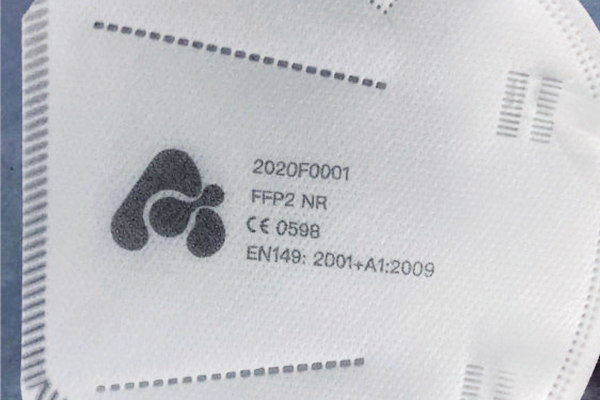
Recommended Range: 300–600 DPI
Some companies print their brand logos on packaging. Using low DPI results in jagged edges, making the product appear cheap to customers. Especially for elaborate brand packaging and gift boxes, it's strongly recommended to use 600 DPI directly to reproduce the design's detail and avoid losing fine lines.
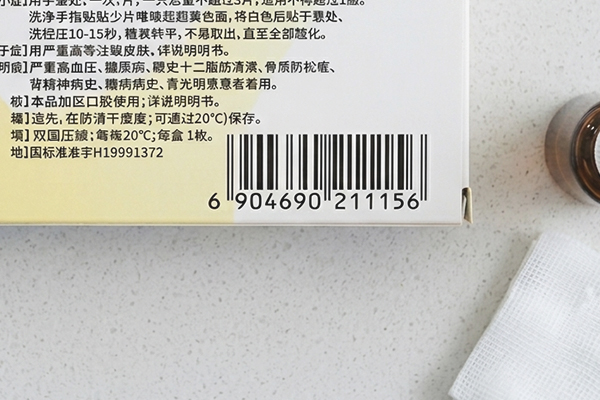
Recommended Range: Minimum 300 DPI
For common 1D barcodes (such as Code 128, GS1-128), in high-speed automated production lines, I recommend increasing the DPI to 600 to improve scanning success rates. This is especially important for very small, fine barcodes, which simply cannot be scanned at low resolution.
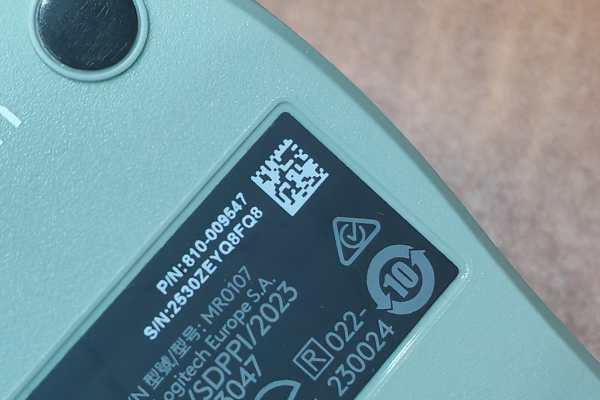
Recommended Range: 600 DPI
This is extremely common in DPM (Direct Part Identification) and traceability systems for medical devices and automotive parts. Because DataMatrix contains a large amount of information in a small size, insufficient resolution will cause its ISO/IEC rating to drop below C, making it impossible to pass rigorous compliance audits.
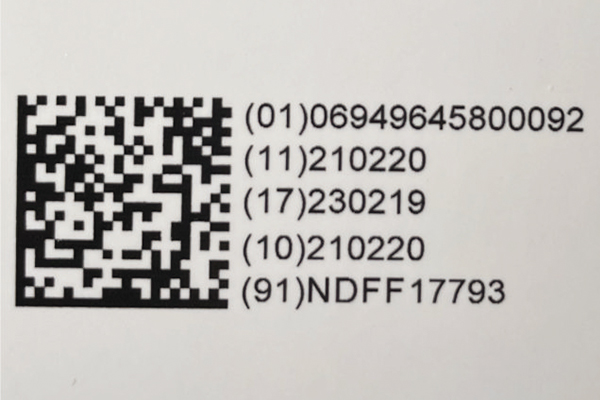
Recommended range: 600–1200 DPI
With the evolution of GS1 Digital Link and future retail packaging trends, micro QR codes of 10mm or even smaller are becoming increasingly common. Fitting dozens of characters into such a small area requires extremely high dot density; without it, mobile phones and industrial scanners simply cannot read them.
Application | Recommended DPI |
Date & Batch Codes | 180–300 DPI |
Product Logos | 300–600 DPI |
1D Barcodes | 300–600 DPI |
DataMatrix Codes | 600 DPI |
GS1 QR Codes | 600–1200 DPI |
Electronics / Micro Text | 1200 DPI |
Many clients think the QR code printed at 300 DPI is quite clear and it can be scanned by phone.
At this point, I remind them of something: A barcode that looks acceptable to the human eye may still fail ISO or GS1 verification standards.
High resolution not only affects "looks clear," but also profoundly impacts machine readability. In today's global trade, regulations such as UDI (Unique Identifier for Medical Devices), GS1, and food safety traceability are extremely stringent. Insufficient resolution, especially with slightly porous materials, can cause blurred edges or severe dot gain, leading to scanner failures. In B2B deliveries, this can directly result in batch rejections or even product recalls.
The traditional printing system often face this problem: Increasing the resolution required reducing the line speed.
However, modern piezoelectric high-resolution inkjet (PIJ) printing system has completely broken this deadlock. NAXJET’s PIJ inkjet prinlting can perfectly balance high production line speeds with stable, high-precision output of 600 to 1200 DPI.
Of course, when performing system integration and solution selection, we cannot only look at equipment parameters; we must also comprehensively evaluate: production line speed, print distance, substrate material, code size, and the required compliance standards of the customer's industry. Only by combining these factors can we determine the most cost-effective solution.
Ultimately, the optimal resolution for industrial inkjet printing isn't about blindly pursuing the highest possible number, but rather finding the one that perfectly matches your application scenario. While 180 DPI is sufficient for large characters on outer packaging, 600 DPI and above have long become mainstream in today's era of comprehensive traceability.
If your production line is facing multiple challenges, including clear logos, high-precision machine reading, or future compliance, proactively deploying a high-resolution inkjet printer supporting 600–1200 DPI will save you countless potential problems later on.